Teach it your names.
Add the spelling you want and what it sounds like, or turn on one of four industry word packs with nearly 1,400 terms.
SiobhanCustom terms Talk DAT!Dictation for Windows and Mac.
Hold a key and talk. Fully formatted text appears where you’re typing: punctuation, capitals, lists and your corrections, done for you.
Free. No card, no plan, no account needed.
Opens your own mail app with the download link.
hi sam thanks for sending the draft um can we move our call to tuesday no wait thursday at three p m before then i need three things number one the final logo number two the updated timeline and number three the client’s notes new paragraph thanks again
Hi Sam, thanks for sending the draft. Can we move our call to Thursday at 3 PM? Before then, I need three things:
Thanks again.
Example only. Results depend on your microphone, settings and how you speak.

Local is on by default and stays on this computer. Your key is optional: your own provider handles the speech and bills you. Set up your key
Talk DAT!
Free demo
Tap once, say a sentence, then tap again to see it cleaned up.
This is a real, working preview in your browser. On a phone, tap to start and tap again to stop. On a computer, hold the button while you talk. You can also paste a rough note. The installed app adds keyboard shortcuts, typing into any app, recording backups, local models and full formatting.
This browser preview sends the take for transcription, then finishes the text on our server. The page does not add your audio or words to an account history. Deepgram requests opt out of model improvement, and browser-provided speech follows your browser provider's privacy terms.
Phone: tap once to start and again to finish. Computer: hold while speaking, or choose Hands-free.
Paste a messy sentence and compare Chill with Executive. Important details like numbers are checked, and a risky rewrite falls back to a simpler cleanup.
This preview sends microphone audio to a speech service and rough text through our demo service to be finished. This page does not save the microphone capture. The installed app does not use our demo service: with local speech and writing models selected, dictation stays on your computer. Selected provider routes send their audio or text directly to that provider under your account and its privacy terms.
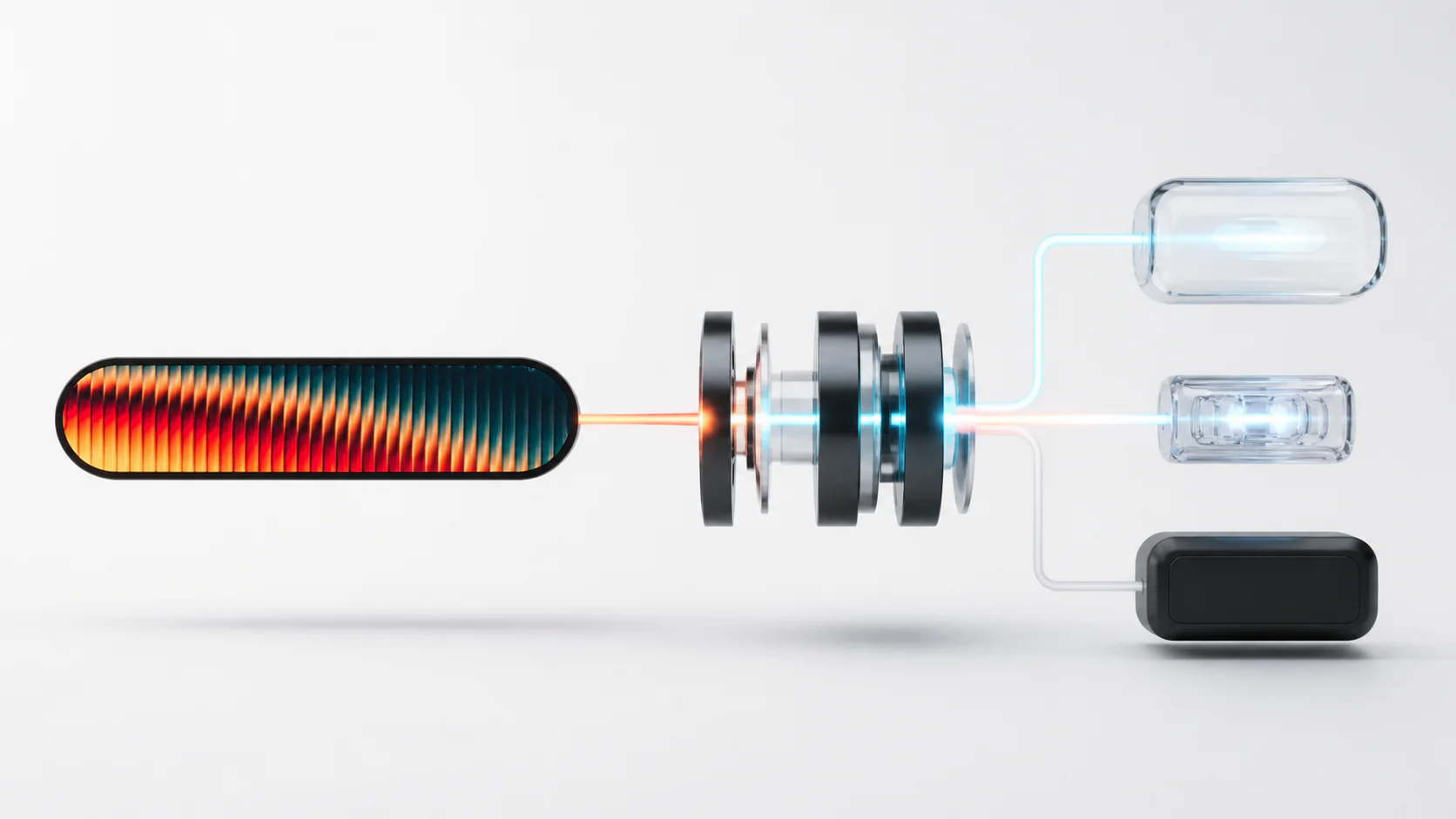
It learns the names you use, keeps your recording if a paste fails, and lets you choose where speech is processed.
Add the spelling you want and what it sounds like, or turn on one of four industry word packs with nearly 1,400 terms.
SiobhanCustom termsYour recent recordings stay on this computer, so you can play them back, copy the text, or transcribe them again.
Connect a supported provider with your own key, or download a local model and keep speech processing on your machine.
Start with the basics: how you start dictating, how much your words are cleaned up, where the text goes, and where speech is processed. Then see the extra tools.
1 of 10
See every featureOn Windows, a keyboard chord, mouse side button, Xbox or XInput control, or MIDI note can start dictation.
Chill tidies your words and keeps your tone. Executive rewrites them to sound more formal and organized. Chill is the default.
With auto-paste on, Talk DAT! puts the text into whichever app is active when it finishes. If that app won’t accept it, the text is on your clipboard, ready to paste.
Connect a supported provider with your own key, or download a local model. Available routes depend on your setup.
Your recent recordings stay on this computer, so you can play them back, copy the text, or transcribe them again.
Add a preferred spelling, a sounds-like alias, or one of four optional industry packs with nearly 1,400 curated terms. Fixed a name by hand? Copy the corrected word and Talk DAT! learns it for your next dictation, with an undo button right above the Talk DAT! bar. It reads only what you copy, it stays on your computer, and one switch in Words & Phrases turns it off.
Typed or dictated text uses a downloaded local model, or the provider whose key you brought. Safeguards are designed to preserve links, emails, versions, and numbers.
Download, compare, and select an on-device model. After setup, speech stays on the computer whenever Local is selected.
Ramble captures a hands-free thought, finishes it, and saves the result as PDF, Word, Markdown, or plain text.
On a local model, turn on Show words while I speak and the Talk DAT! bar shows the text so far while you hold the key, about 1.2 s behind your voice on a GPU or on six CPU cores. These captions are processed locally. Your selected writing route finishes the text when you release the key, whether captions are on or off.
Feature availability depends on your platform, selected speech route, downloaded models, and hardware.
Choose Windows or Mac. The recommended Windows route opens the Microsoft Store; the Mac button downloads the current notarized disk image.
Windows 10 and 11 are available through the Microsoft Store. The Mac public beta is a notarized disk image for Apple silicon Macs running macOS 14 or later. Intel Macs are not supported.
Checking the current verified builds...
The Microsoft Store is the recommended Windows route and updates automatically. A direct beta installer can still show “Windows protected your PC,” especially when a release is new. Choose Run anyway only after confirming the file came from the official release page. SHA-256 checksums and a build receipt are published for the Windows EXE and portable ZIP.
The current disk image is signed with a Developer ID, notarized by Apple, and carries a stapled notarization ticket. Download it from the official page. macOS may show its normal first-open confirmation, then requests Microphone for speech capture, Input Monitoring for the global hold-to-talk trigger, and Accessibility for delivering finished text into another app.
The Mac App Store edition is being prepared. The signed and notarized direct Mac download is available now.
No card, no plan, and no account needed to dictate. If you bring your own provider key, that provider bills you at its own rates on your account with them; Talk DAT! adds nothing on top.
Full overlay, global hotkeys, auto-paste, local history, protected voice sessions, updater, on-device speech and bring-your-own-key routes.
Public betaNotarized disk image for Apple silicon Macs running macOS 14 or later. Intel Macs are not supported.
Public betaLinux is planned, but no public Linux build is available yet.
PlannedTalk DAT! for teams
With local speech and writing models selected, your team’s dictation is processed on each person’s computer. If someone selects a provider route, its audio or text goes directly to that provider under their account and the provider’s privacy terms.
Review the setup for your team. Local processing can reduce exposure, but it does not satisfy HIPAA, GDPR or a security review by itself. Your organization must assess local storage, access controls and any selected providers against its own obligations. Talk DAT! has not completed SOC 2 and does not offer a HIPAA BAA.
Four optional industry packs are already included in the desktop app. Medical, legal, military, and aviation packs contain nearly 1,400 curated terms to help recognize the terminology you use at work. Accuracy varies with the recording and selected model. Review the text, especially names and medical or legal details.
What a team pays
Talk DAT! is free and dictates without one. Signing in lets the desktop app and this site recognise you, and carries your chosen theme between them. It never carries what you say.
Sign in with your email or with Apple. There is no password.
Type your email and we send a six-digit code, or continue with Apple. Either way there is no password to make, and both open the same account.
Deleting your account removes your email address, your sign-in methods and the computers signed in to it from our account service. It cannot be undone. Talk DAT! keeps working on your computers without it.
By creating an account, you agree to the Terms and the Privacy Notice.
Pick your computer, your kind of work, or the app you’re switching from.
What people ask before installing.
Both name the same app. The product is Talk DAT!, and it is often written as one word, TalkDAT, including in this site’s address and on the Microsoft Store. It is made by Knight AI+AV.
Yes. TalkDAT uses AI speech recognition to hear you and AI writing models to clean up the text, so you get punctuated, formatted writing instead of a raw transcript. You choose the engine: on-device models that run entirely offline, or your own provider key.
The Microsoft Store is the recommended Windows route and updates automatically. A direct beta installer can still trigger SmartScreen, especially when a release is new. Use a direct installer only when it came from the official release page, and verify it with the published SHA-256 checksum and build receipt.
Yes: with local speech and writing models selected, dictation can run offline after setup. If you select a speech or writing provider, audio or text for that route goes directly to that provider under your account and its privacy terms. Your recent recordings are kept on the computer so you can recover them, and a support log is only sent if you choose to attach it to a message.
Nothing. Talk DAT! is free on Windows and Mac, with no account, card or plan needed. If you choose to bring your own provider key, that provider bills you directly at its own rates; Talk DAT! adds nothing.
Yes. The source code is public on GitHub under the Apache License 2.0, so you can read it, build it and change it. The Talk DAT! name and logo stay trademarks of Knight AI+AV. Our downloads are the signed builds, with automatic updates.
Yes. Talk DAT! has public betas for Windows 10 and 11 and for Apple silicon Macs running macOS 14 or later. The Mac disk image is notarized by Apple. Intel Macs are not supported.
Talk DAT! runs on your computer. Nothing you say in the app is sent to us, and your recent recordings are kept on your computer so you can recover them.
The Talk DAT! bar can stay on screen while the microphone is off. Hold-to-talk stops when you let go, and hands-free only starts when you turn it on.
Each recording is saved on your computer before anything else happens. If a later step fails, History can play it back or recover the text, so a long dictation isn’t lost.
A downloaded local model needs no provider account to set up. Supported bring-your-own-key providers remain a user-selectable alternative.
After your speech becomes text, Talk DAT! adds punctuation and capitals, fixes spacing, applies your custom words and snippets, and saves it to History.
The desktop app also includes History, recording recovery, Translation, Live Captions, Ramble, Words & Phrases, Mic Doctor, snippets, per-app settings, themes and advanced controls.
With a downloaded model selected, speech is processed on your computer. The app also keeps your recent recordings there, so a failed paste can be recovered.
With local speech and writing models selected, dictation stays on your computer. Selected provider routes send their audio or text directly to that provider. The preview on this page uses our demo service when you press it. The optional account never holds dictation; a feedback report includes a support log only if you choose to attach it.
Talk DAT! has not completed SOC 2 and does not offer a HIPAA BAA. Local mode can reduce exposure, but regulated organizations must evaluate the product against their own obligations.
Install the free beta, pick a local model or add your own provider key, and start talking.